Features
Fully Integrated Parametric Concrete Bridge Design
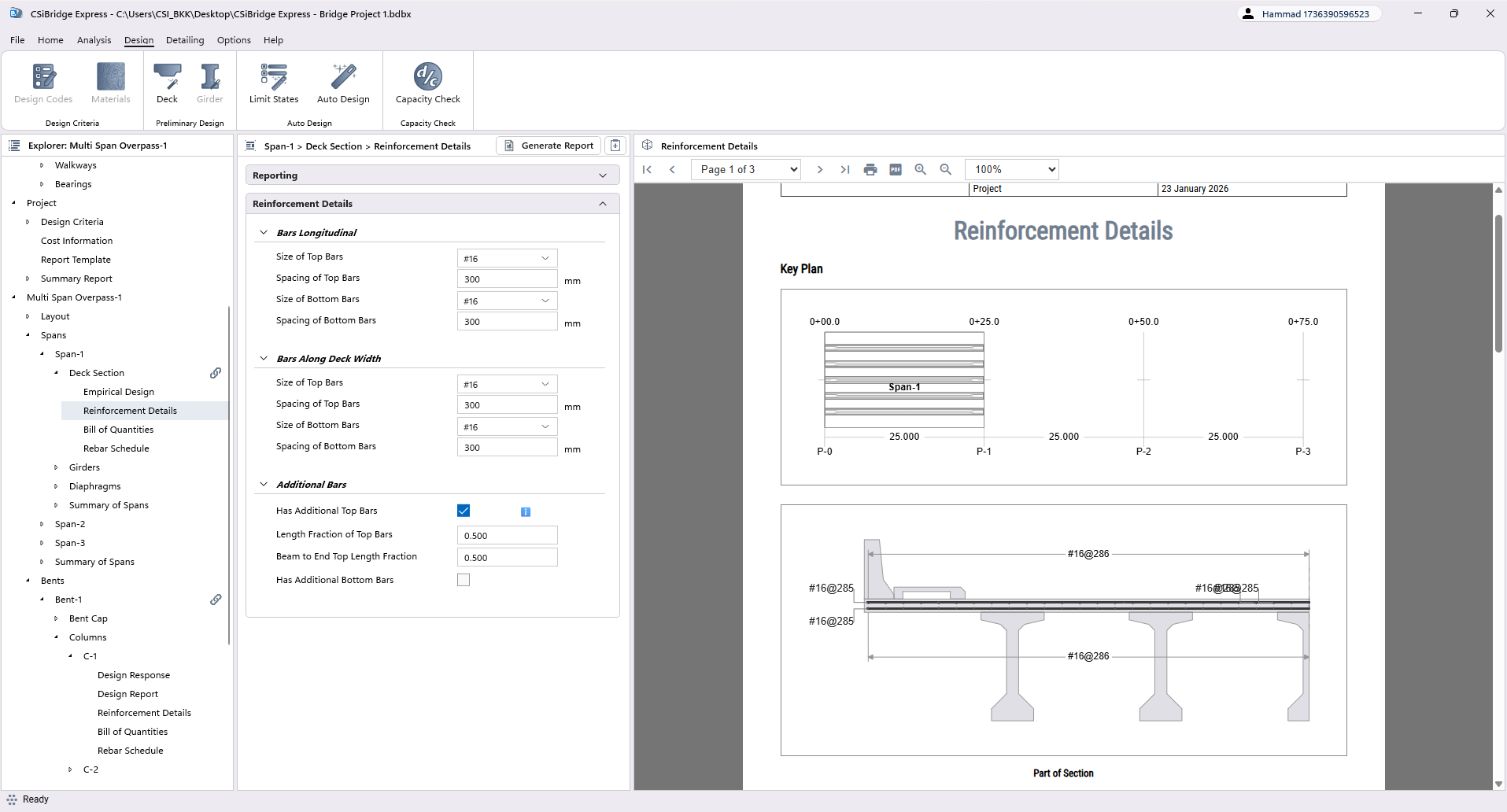
Deck Section Reinforcement
Define steel configuration for bridge decks in both longitudinal and transverse directions. Program provides evaluated reinforcement that can be adjusted as needed.
- Longitudinal direction reinforcement
- Transverse direction reinforcement
- Top and bottom reinforcement
- Additional bars at top/bottom
- Bar sizes and spacing
- Direction-specific configuration
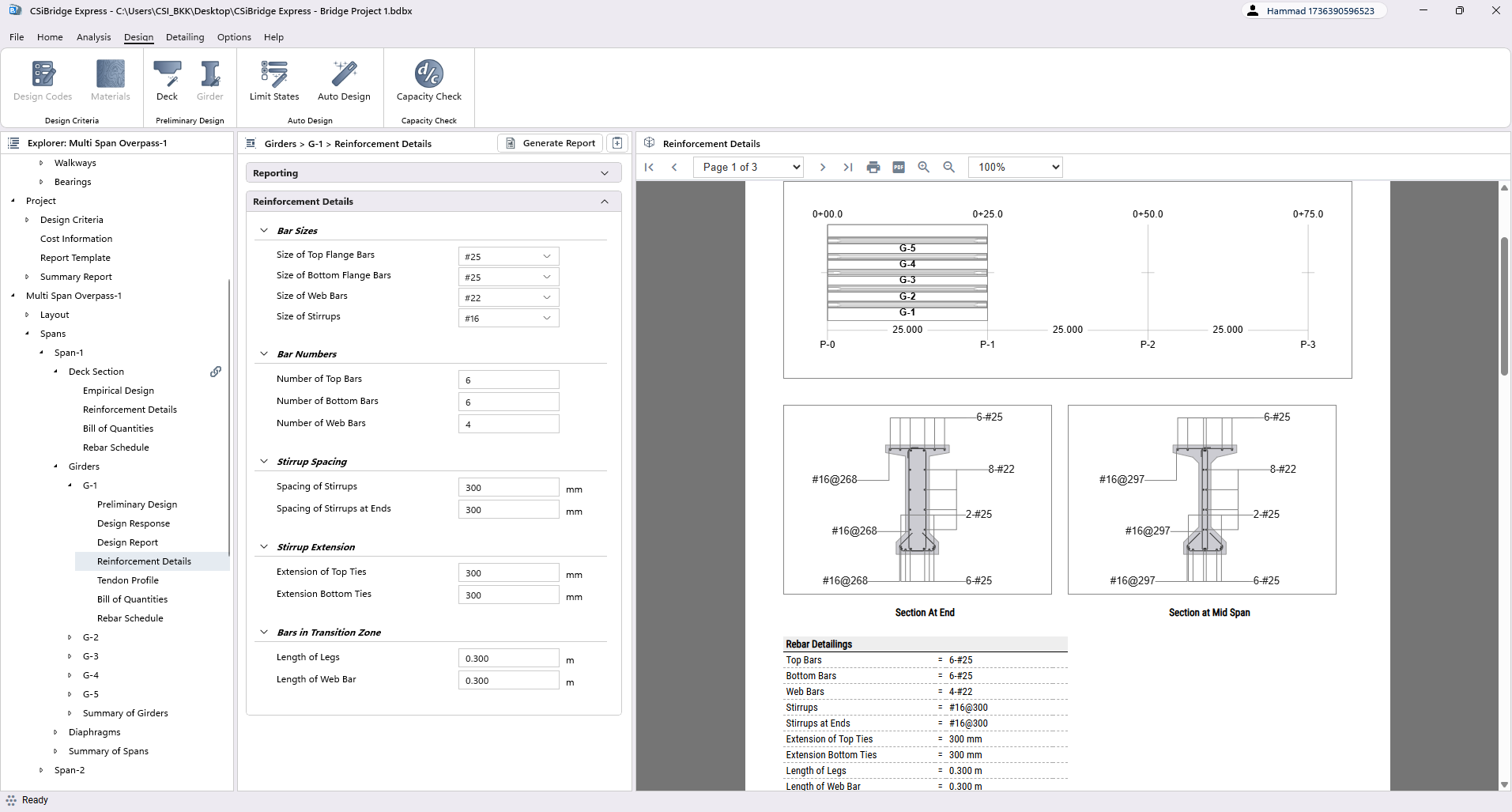
Girder Reinforcement Details
Specify steel configuration within bridge girders including main bars, stirrups, and transition zone reinforcement. Edit preferences in component library or directly within the bridge model.
- Main longitudinal bars
- Stirrup bars and spacing
- Transition zone bars
- Top and bottom bars
- Bar sizes and numbers
- Zone-specific configurations
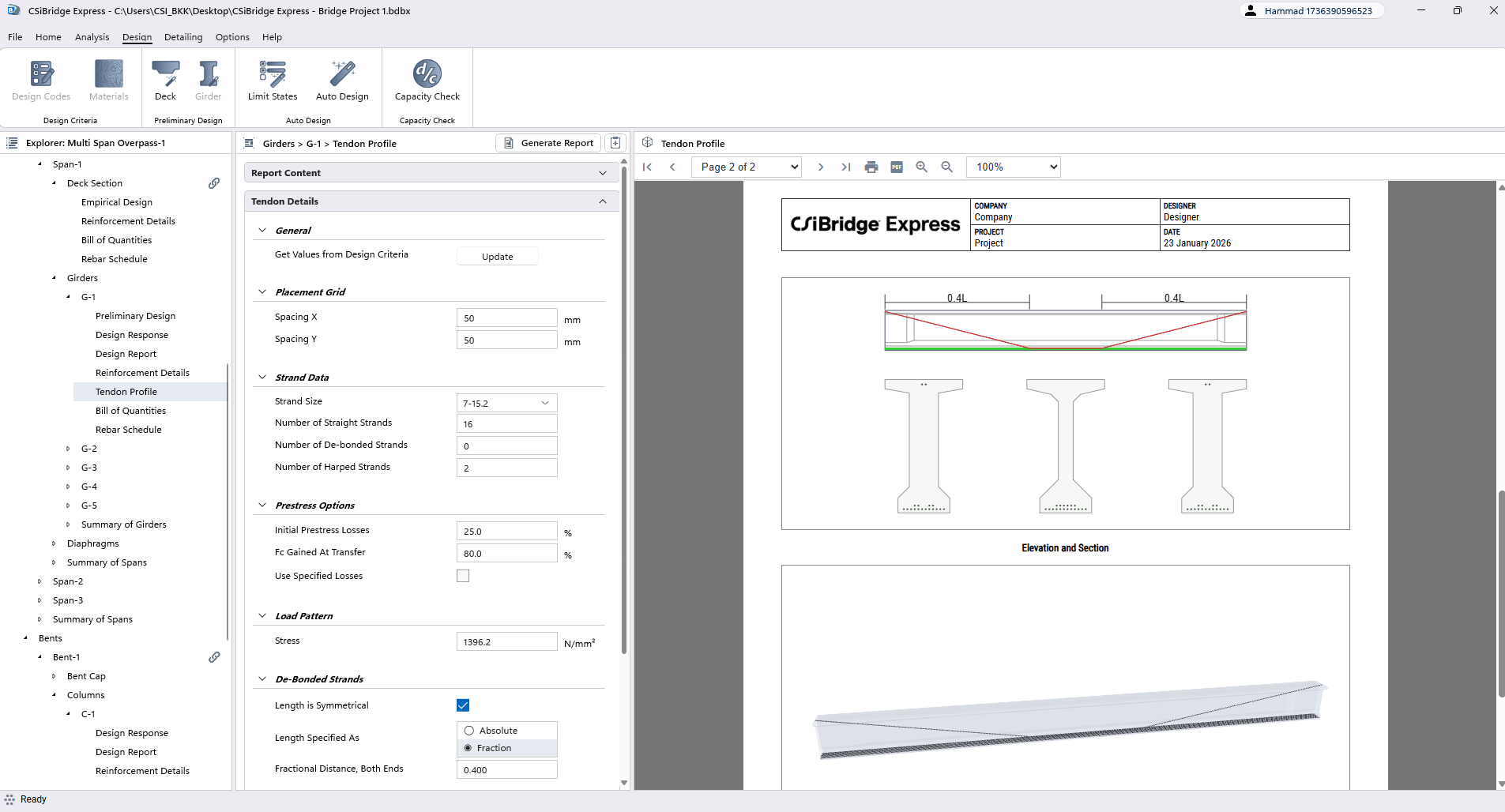
Tendon Profile Detailing
Define prestressing strand configuration for PSC girders. Edit placement grid, strand data, and de-bonded/harped strand details for comprehensive tendon definition.
- Placement grid (X and Y directions)
- Strand size and number
- De-bonded strands configuration
- Harped strands configuration
- Symmetric/asymmetric lengths
- Absolute and fractional values
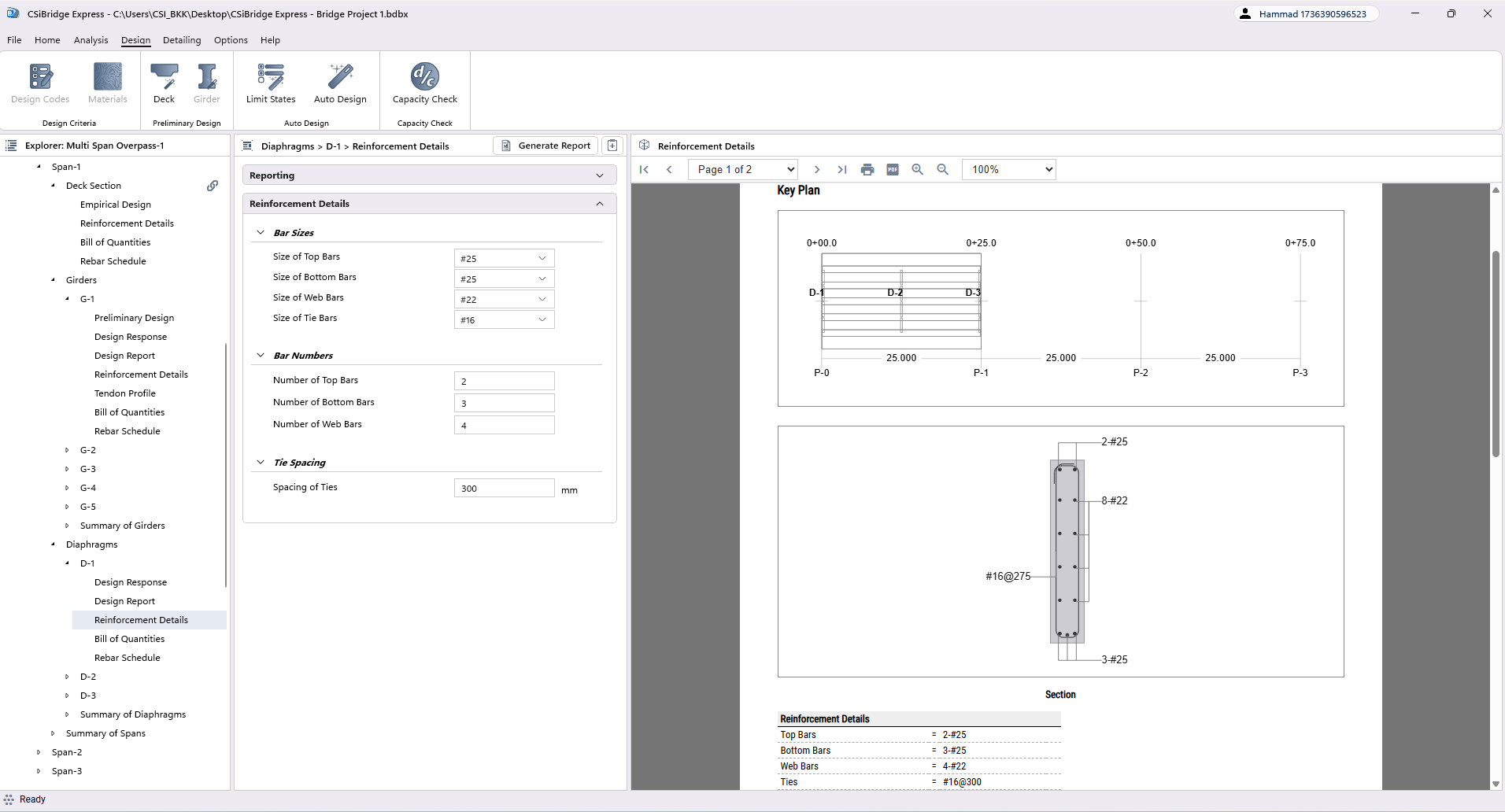
Diaphragm Reinforcement
Specify steel configuration for transverse structural elements between girders. Edit bar sizes, numbers, and tie spacing for comprehensive diaphragm detailing.
- Main bars configuration
- Tie bars and spacing
- Bar sizes selection
- Bar numbers specification
- Component library editing
- Bridge model editing
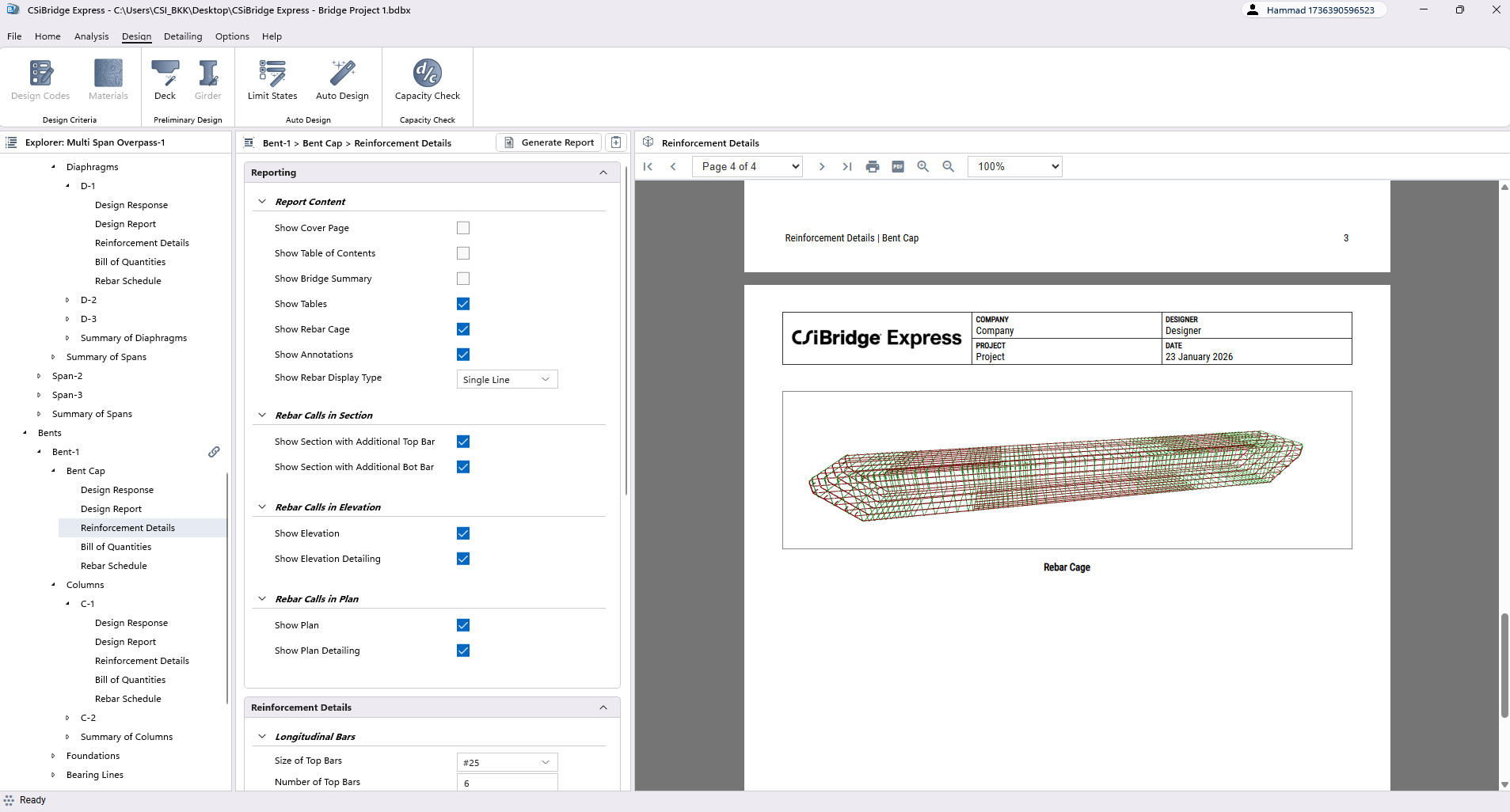
Bent Cap Reinforcement
Define steel configuration for Bent Cap. Edit reinforcement details including bar sizes and numbers directly in component library or bridge model.
- Longitudinal bars
- Transverse bars
- Stirrup bars configuration
- Top and bottom bars
- Bar sizes and numbers
- Bar spacing specification
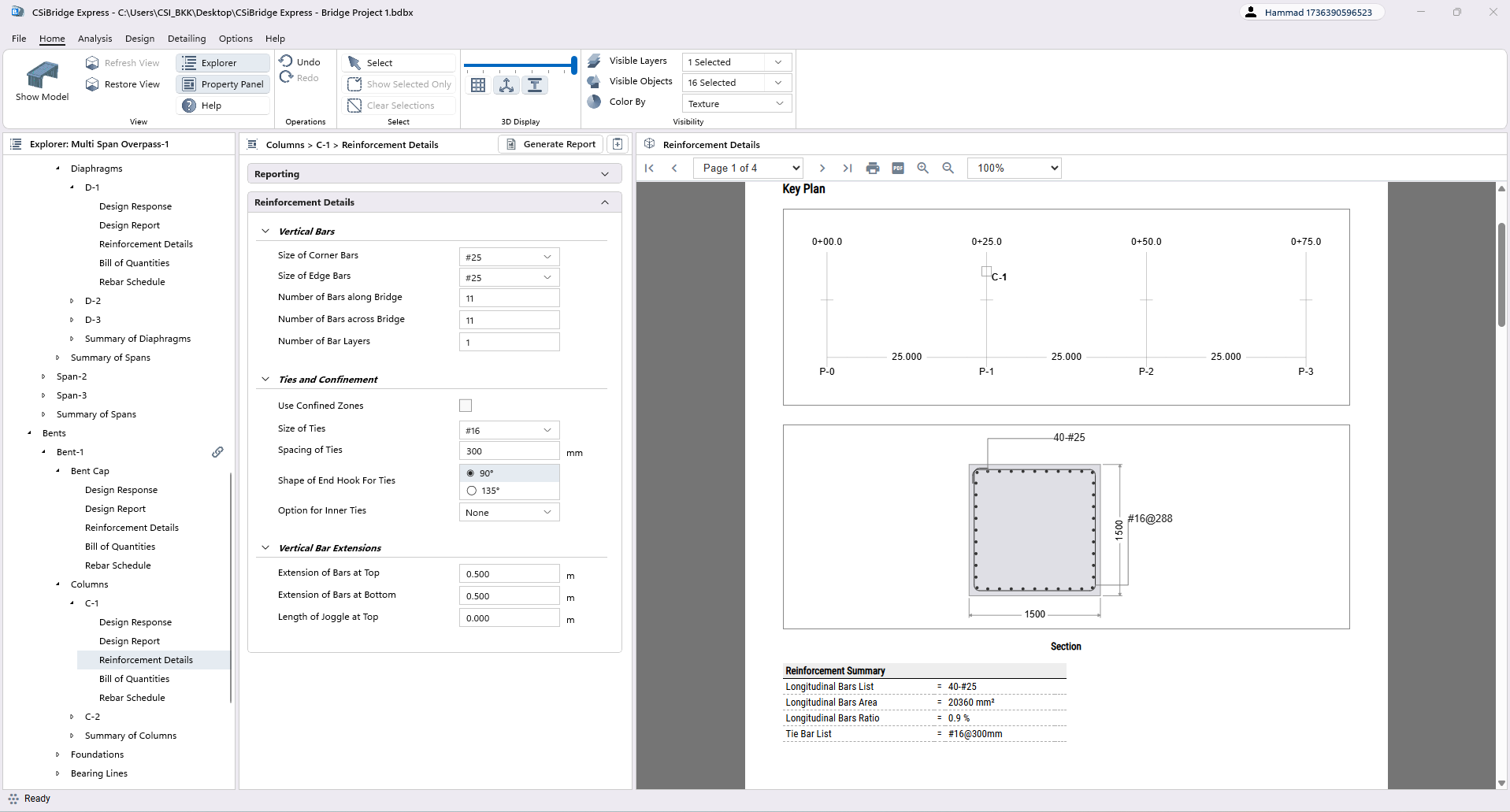
Column Reinforcement Details
Specify steel configuration for vertical members including main bars, ties, and confinement zones. Edit bar sizes, numbers, layers, and hook shapes for comprehensive detailing.
- Main longitudinal bars
- Tie bars and inner ties
- Bar sizes and numbers
- Number of layers
- End hook shapes
- Confined zones (top/bottom)
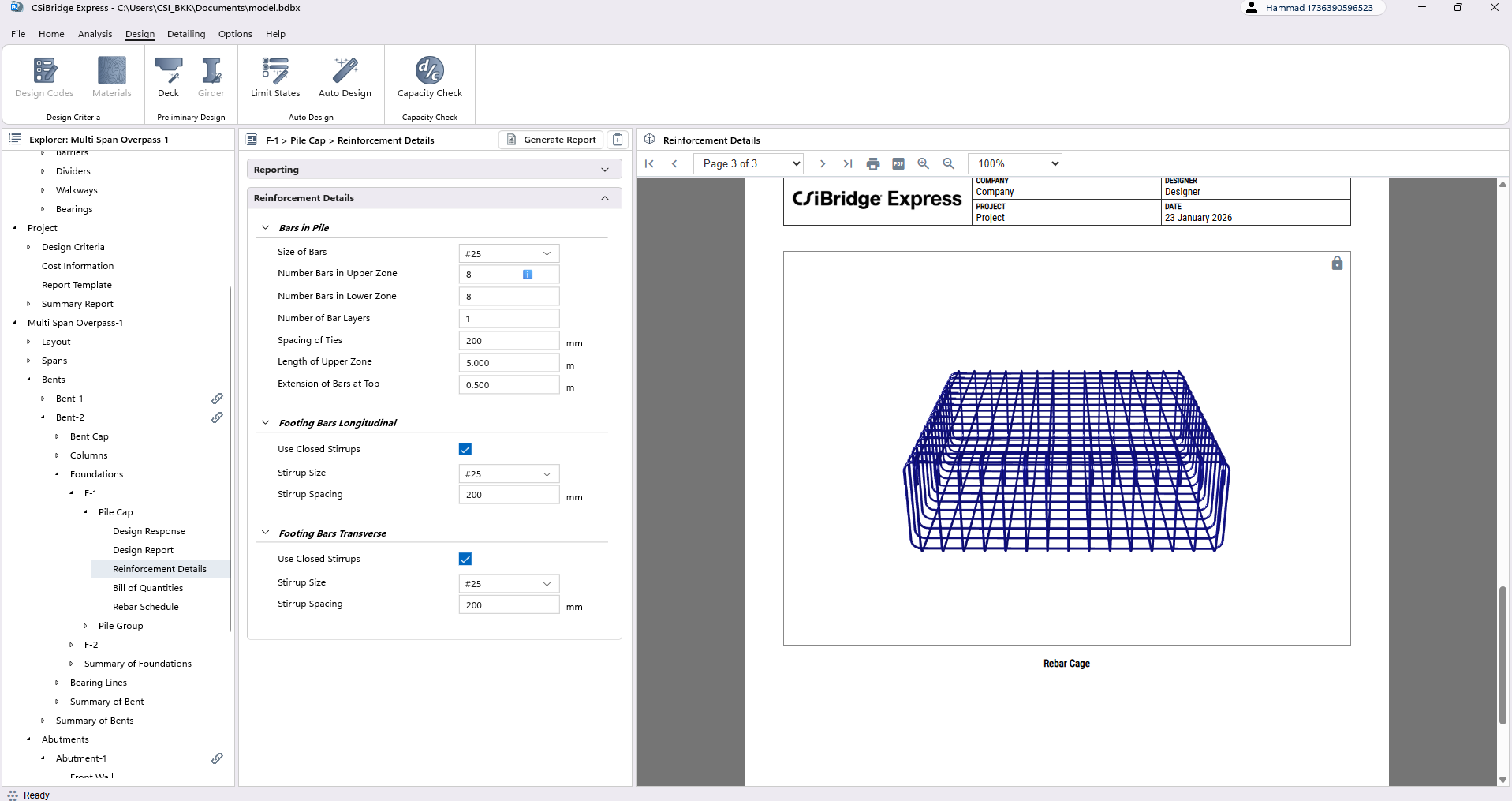
Foundation Reinforcement
Define steel configuration for footings and pile caps. Parameters include rebar sizes, spacing, layers, and zone-specific details for comprehensive foundation detailing.
- Bars along bridge direction
- Bars across bridge direction
- Top and bottom bars
- Bar sizes and spacing
- Number of layers
- Zone lengths and extensions
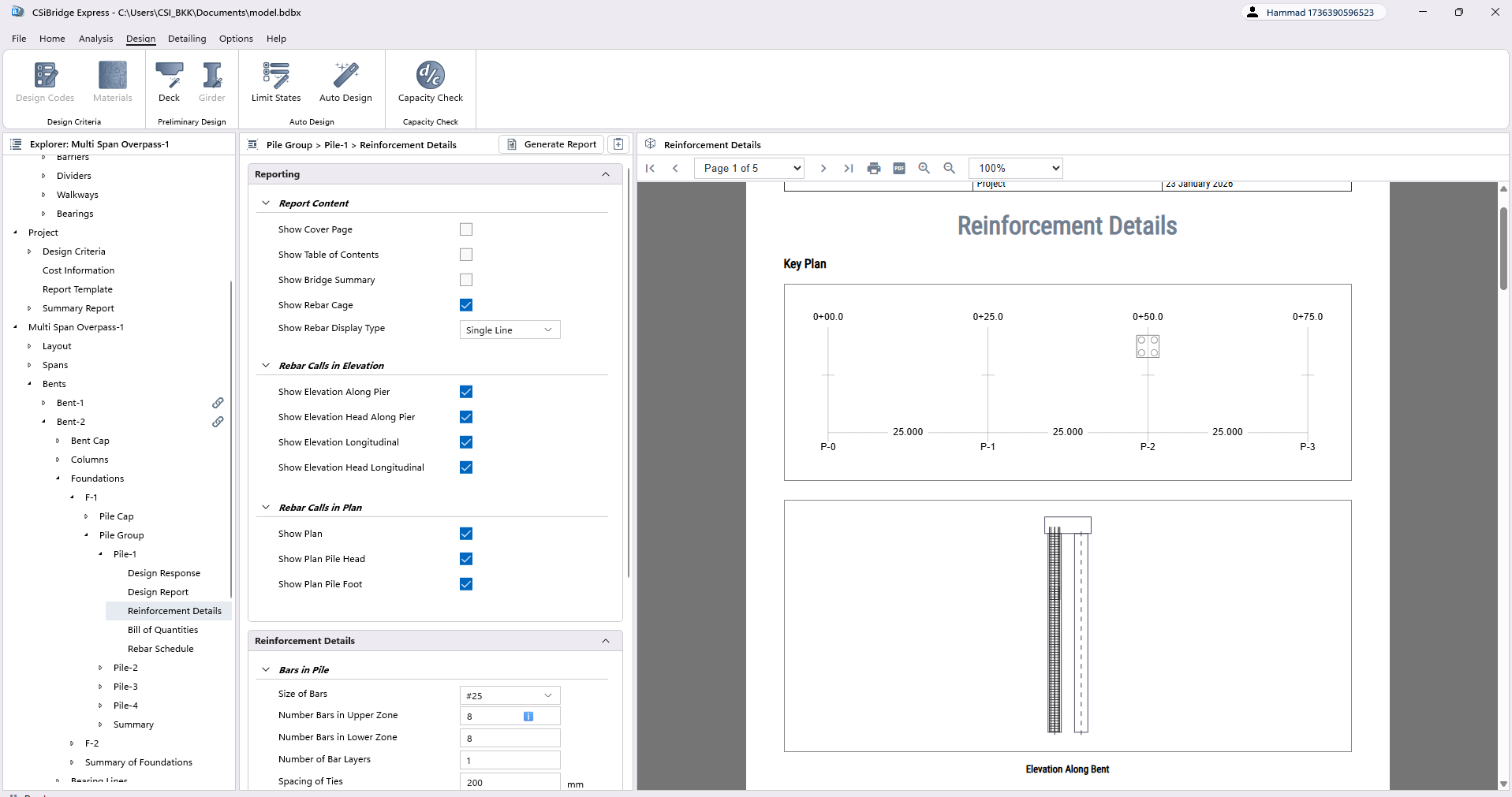
Pile Reinforcement Details
Specify steel configuration for deep foundation elements. Define longitudinal bars and ties for piles along with footing connection bars for complete pile detailing.
- Bars in pile
- Footing bars (longitudinal)
- Footing bars (transverse)
- Bar sizes selection
- Bar numbers specification
- Tie configuration
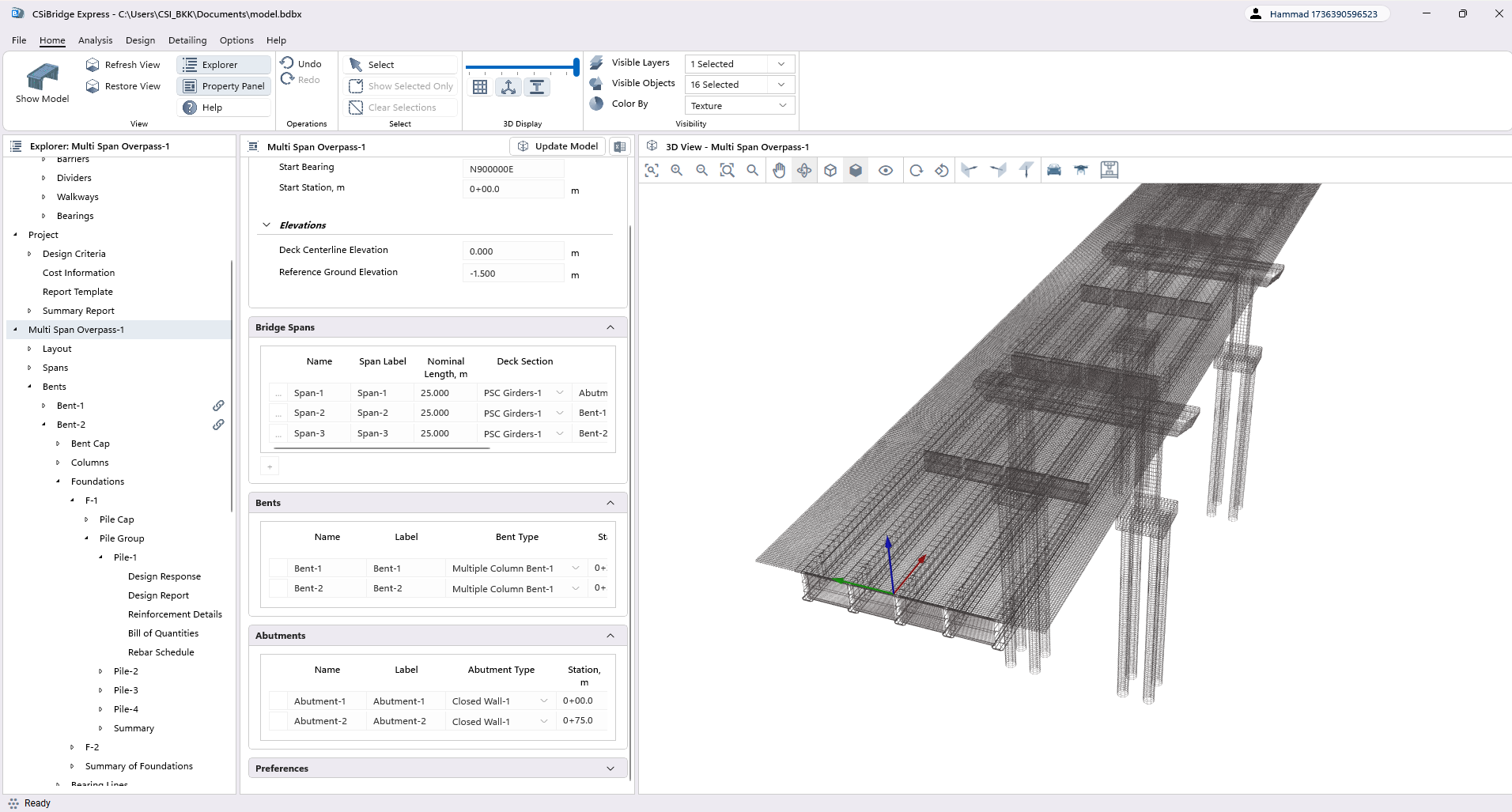
Detailing View Options
Access various perspectives for examining reinforcement configuration. View 2D sections, elevations, and 3D representations for comprehensive detailing assessment.
- Section 2D view
- Elevation 2D view
- Plan 2D view
- 3D component view
- 3D rebar cage view
- Zoom and rotation options
Detailing Group Features
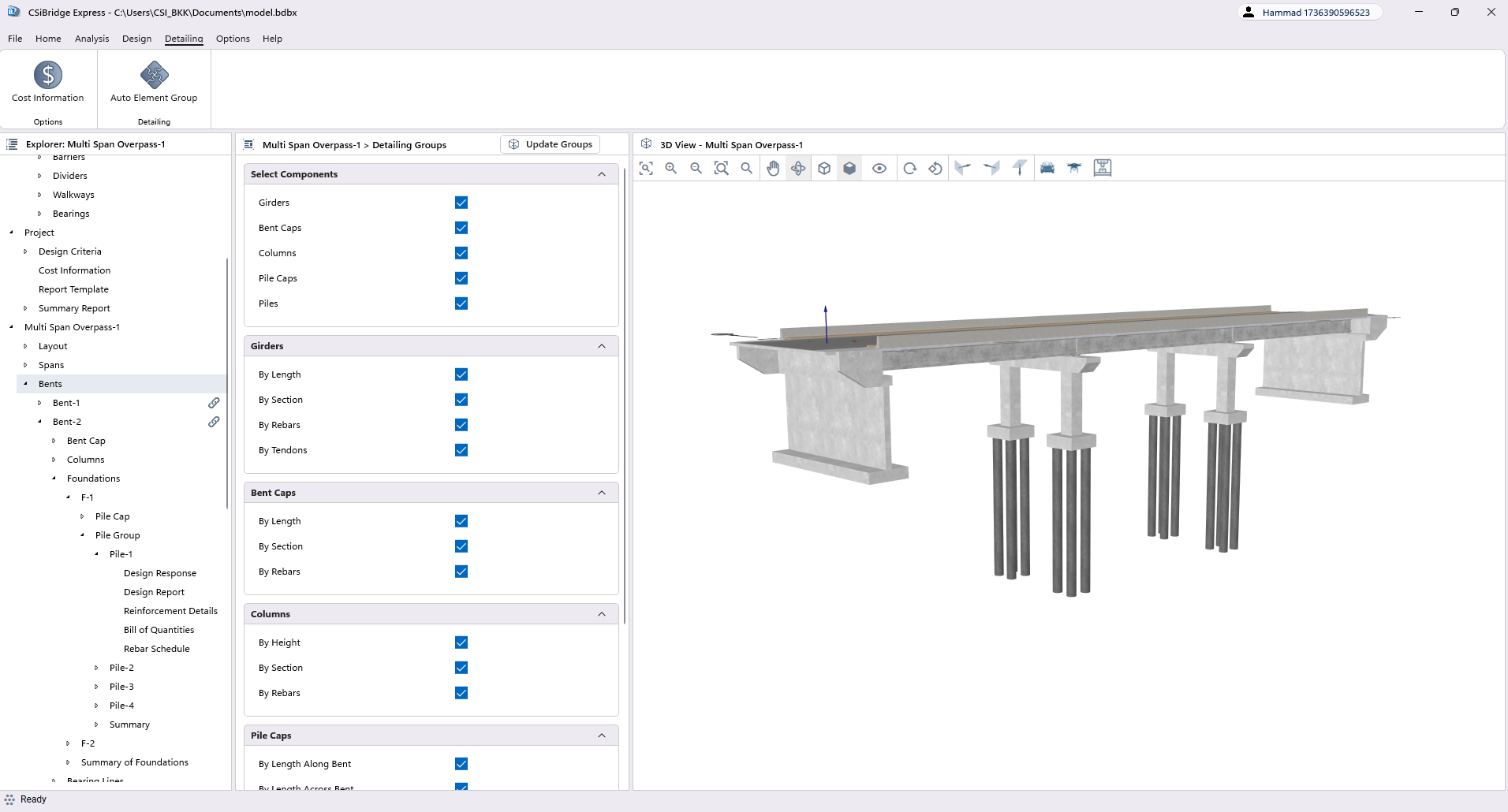
Organize and manage structural components sharing similar detailing requirements. Streamline the detailing process by grouping elements for consistent reinforcement specification.
- Auto element grouping
- Group by length
- Group by section
- Group by rebars
- Group by tendons
- Consistent detailing management
Ready to streamline your bridge design workflow?
Start your free trial today. No credit card required.